PASS/START-PROF supports five lateral expansion joint types:
This expansion joint features 3+ tie rods, permitting only linear movement along two lateral axes while prohibiting all rotations. Typical configurations shown below:
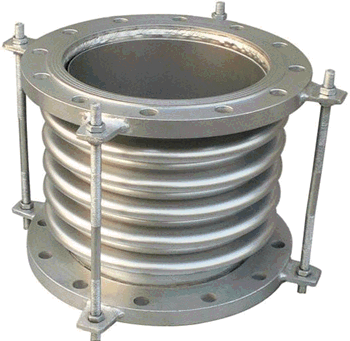
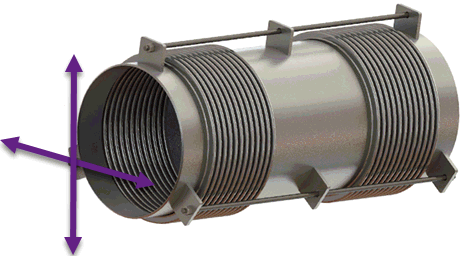
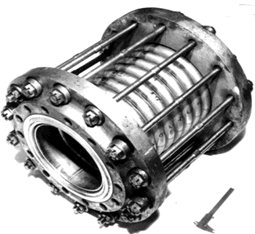
Alternative designs include two bellows or two hinged/gimbal expansion joints with supports configured to restrict all deformations except lateral movements. Typically used for low or zero internal pressure applications.
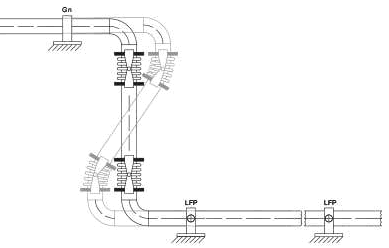
Consists of two angular expansion joints (Double Hinged Expansion Joint). Permits linear movement along one axis and rotation around one axis.
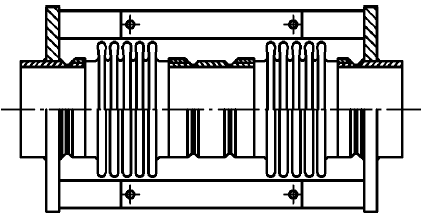
Features 2 tie rods, allowing linear movement along two lateral axes and rotation around one axis.

Comprises two hinged expansion joints (Double Hinged Expansion Joint). Allows linear movement along one axis and rotation around one axis. Modeled using two hinged expansion joints.
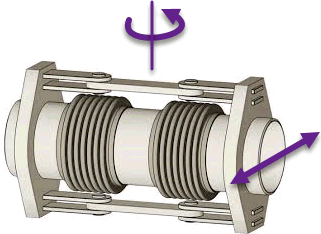
Features 2 tie rods, permitting linear movement along two lateral axes and rotation around two axes. Modeled using two gimbal expansion joints.
Expansion joint analysis results appear in the Expansion Joint Deformation Table. See also Reducing Nozzle Loads in PASS/START-PROF.
Access expansion joint properties from the expansion joints database by clicking "..." and selecting the appropriate joint.
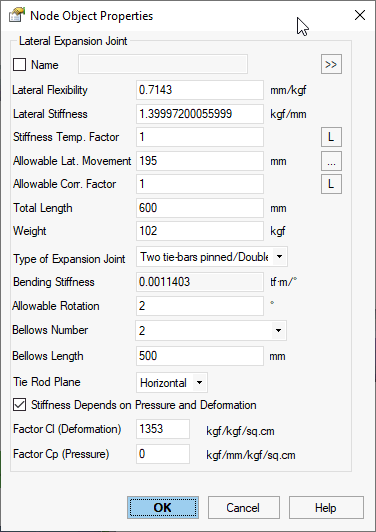
Property |
Description |
Name |
Element identifier. When checked, displays in 3D view |
Lateral Flexibility |
Lateral flexibility (1/KL) of complete expansion joint length (all convolutions). Obtain value from manufacturer. |
Lateral Stiffness |
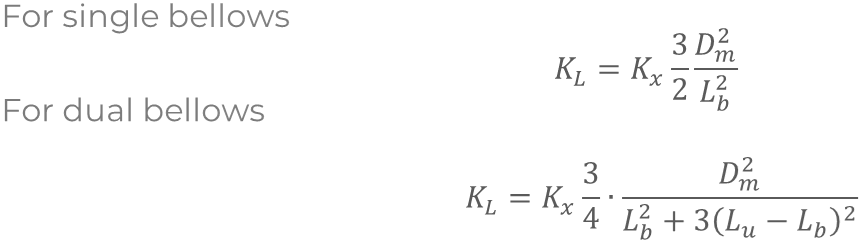
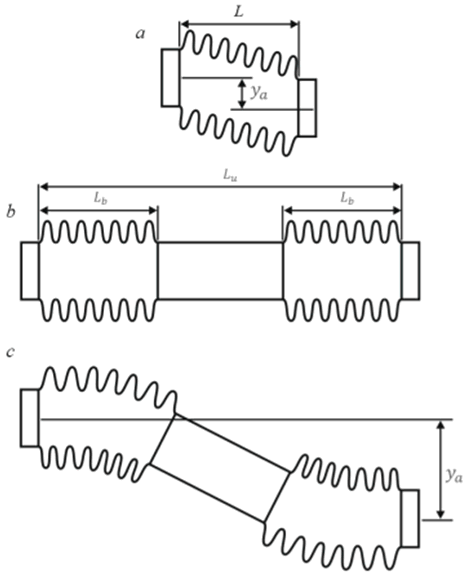
Lateral Stiffness (KL) of complete expansion joint length (all convolutions). Obtain value from manufacturer. Unlike finite length flexible elements, no multiplication by 4 is required since expansion joints are modeled as zero-length elements. Bending angular stiffness calculated as:
Kx - Axial bellows stiffness Dm - Effective bellows diameter Lb - Corrugated bellows length Lu - Distance between convolution ends |
Stiffness Temp. Factor |
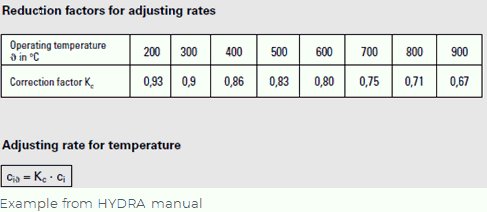
Adjusts stiffness values for elevated temperatures where material elastic modulus decreases. This temperature correction factor equals the ratio of elastic modulus at operating vs. ambient temperature for bellows material. Specify for each operating mode based on temperature.
|
Allowable lateral expansion movement |
Maximum allowable transverse linear deformation. Used for expansion joint deformation analysis. |
Allowable Corr. factor |
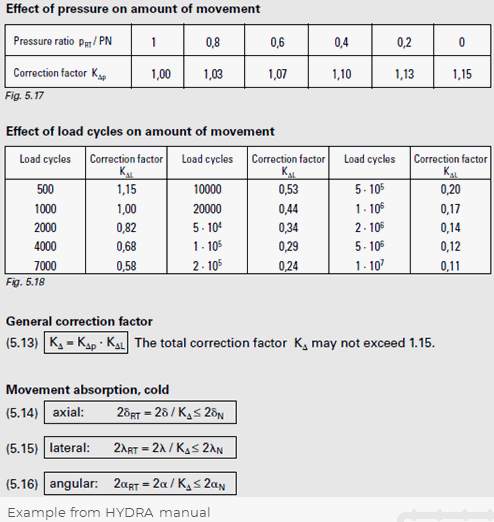
Adjusts allowable movements from reference load cycles and pressure to actual conditions. Specify for each operating mode based on pressure.
|
Length |
Expansion joint length Lu. PASS/START-PROF models this as a zero-length joint with rigid elements (length Lu/2) on both sides. Use Flexible Element for non-zero length joints. |
Weight |
Expansion joint weight distributed equally to adjacent rigid elements. |
Type of expansion joint |
Select joint type: |
Bending Stiffness |
Automatically calculated bending stiffness KR:
|
Allowable Rotation |
Maximum allowable rotational deformation. Used for expansion joint deformation analysis. Obtain value from manufacturer. |
Bellows Number |
Select number of bellows: 1 or 2 |
Bellows Length |
Lb value |
Tie rod plane |
Select tie rod orientation: Vertical, horizontal, or custom.
For custom orientation, specify angle between Zm local axis and tie rod plane (0° = vertical, 90° = horizontal). |
Stiffness depends on pressure and rotation |
Accounts for friction moment in hinges for angular expansion joints.
P – Internal pressure y – Lateral movement KLi – Angular stiffness at iteration i Cl - Lateral stiffness (KL) Iteration process: 1. Set initial angular stiffness KL0 = Cl + P·Cp, analyze, obtain lateral movement y 2. Update stiffness KL1 = Cl + P·Cp + (Cl·P)/y, analyze, obtain new y 3. Repeat step 2 until convergence (typically 3 iterations) PASS/START-PROF performs iterations automatically. |
Factor Cl (lateral) and Cp (pressure) |
Obtain Cl and Cp factors from expansion joint manufacturer. |
To insert lateral expansion joint: Select target node and use Insert > Expansion Joint > Lateral