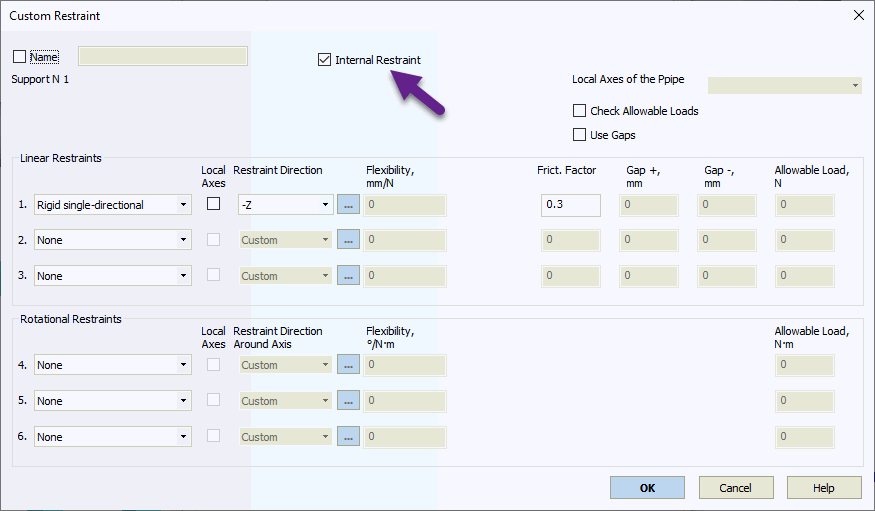
Custom restraints model complex support conditions using combinations of restraint types at various angles to control displacement and rotation.
You can define up to 3 linear and 3 rotational restraints. Available rotational and linear restraint types include:
Rigid double-acting (restrains movement in both directions along its axis)
Rigid single-directional (restrains movement in one direction along its axis). Specify direction as +/-
Spring double-acting flexible restraint. Specify spring rate
Spring single-directional flexible restraint. Specify spring rate
Bilinear double-acting (specify two spring rates)
Bilinear single-directional (specify two spring rates)

Property |
Description |
Name |
Element name. When checked, displays in 3D view |
Weight |
Weight of the support component attached to the pipe. This weight applies to the attachment node. When the allowable load is specified for the building structure, the calculated load includes both pipe weight and support weight. When the allowable load is specified for the support itself, do not include support weight or increase the allowable load by the support weight value. |
Pre-compression spring |
Pre-compression models variable spring supports as custom restraints. For slanted springs, input precompression projections along global coordinate axes. Positive pre-stretch creates upward force; negative creates downward force. |
Test state |
Springs may be temporarily locked during testing, which must be considered in the analysis |
Restraint type |
Three types available: Rigid double-acting, Rigid single-directional, and Spring. "None" indicates no restraint |
Element local axes |
The local axes of the selected element define the restraint local axes Xm, Ym and Zm |
Local axes |
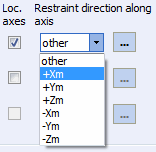
When unchecked, allowable loads reference global coordinate axes (X,Y,Z); when checked, they reference local axes of the adjoining element (Xm,Ym,Zm). All restraints must be mutually perpendicular.
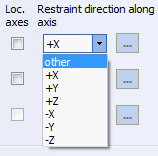
Select "other" to input any restraint direction
Define restraint direction using three angles between the restraint vector and global coordinate axes. Enter minutes as tenths of a degree (two decimal places maximum). For example, 30.25 equals 30° 15'. Omit "+" for positive angles. More...
When using single-directional restraints in local coordinates or gaps, specify the element whose local axes define the restraint directions (required for correct restraint direction). |
Restrain displacement along axis |
Select displacement restraint direction. +/- direction does not affect double-acting and spring restraints (without gaps). With gaps in double-acting restraints, use positive direction. For single-directional restraints, +X restrains movement in the positive X direction and allows negative movement. Similarly, -X restrains negative movement. |
Restrain rotation around axis |
Select rotational restraint direction. |
Flexibility |
Spring restraint spring rate |
Rod length |
Restraint rod length for pendulum effect analysis(hanger rod displacement from vertical). Restraints with rod length are treated as hangers. When using rod length, do not include other linear restraints (the hanger should be the only linear restraint). Cannot specify both rod length and friction factor. |
Friction factor |
Restraint's friction factor. Friction force applies when the restraint is active (single-directional restraints). With friction factor, limit total restraints to two (remaining restraints model friction). Cannot specify both rod length and friction factor. |
Gap +, Gap - |
Do not model installation tolerances as gaps. Multiple small gaps (1-3 mm) can cause iteration convergence problems. Remove small installation gaps from the model. Specify only large structural gaps controlled during installation, such as limit stops or seismic stops. These gaps are typically large (>5 mm) and few in number. Gap during displacement with and against restraint direction (gaps swap with opposite direction input). Available for rigid double-acting and spring restraints. Springs with gaps behave as springs until displacement reaches gap value, then become rigid restraints. |
Internal Restraint |
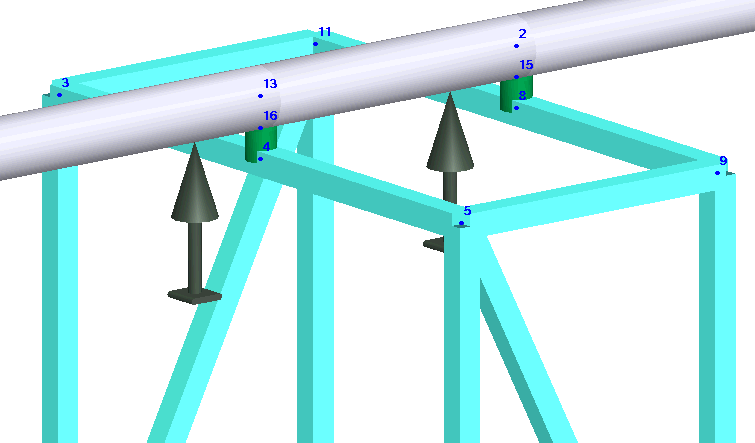
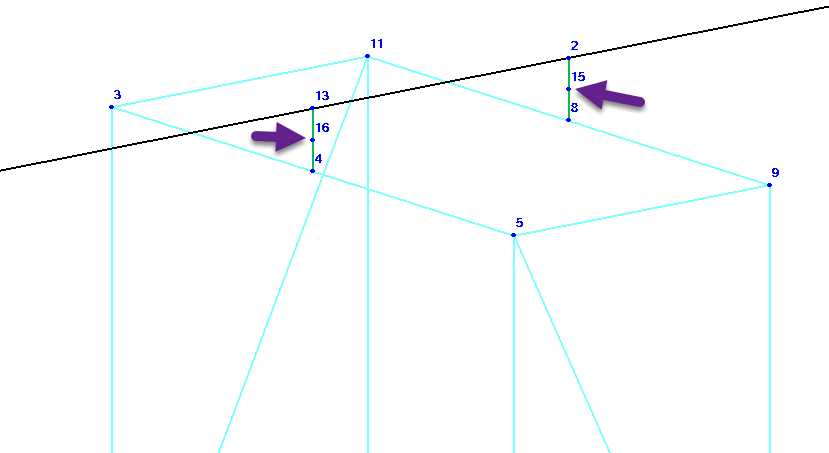
When checked, models restraint as internal connection to another pipe, beam, or rigid element. Example: Pipe rests on support connected to I-beam frame. Insert rigid element between frame (node4) and pipe (node13). Add node16 at half pipe diameter distance on rigid element. Insert internal restraint at node16 to model resting support.
|
Element connected to... |
For internal restraints, connection direction matters. Example: Guide support rigidly connected to element 59-60 with element 10-59 sliding over it. Switching connection requires changing first restraint direction from -Z to +Z.
Similarly for two consoles connected with resting support. The rigid connection side (left or right console) determines which console can slide.
|
Check allowable loads |
When checked, PASS/START-PROF automatically compares allowable loads with analysis results and displays warnings for exceeded values |
Allowable load |
Maximum allowable load in restraint direction |
For more information, see "custom restraints".
For examples, see "custom restraints examples".
To insert element, select the desired node and use: Insert > Insert Restraint > Custom Restraint
or click the  toolbar
icon.
toolbar
icon.