
Project input data
The root element of the program project tree is the Project. This element is automatically created when a new data file is created and is saved with it:
To enter initial data for a project, select it in the project tree; the Object Properties Window will display its characteristics. Project data includes:
Here you need to specify the name of the project and the contents of the title block fields of the project documents, which the Hydrosystem automatically generates based on the calculation results:
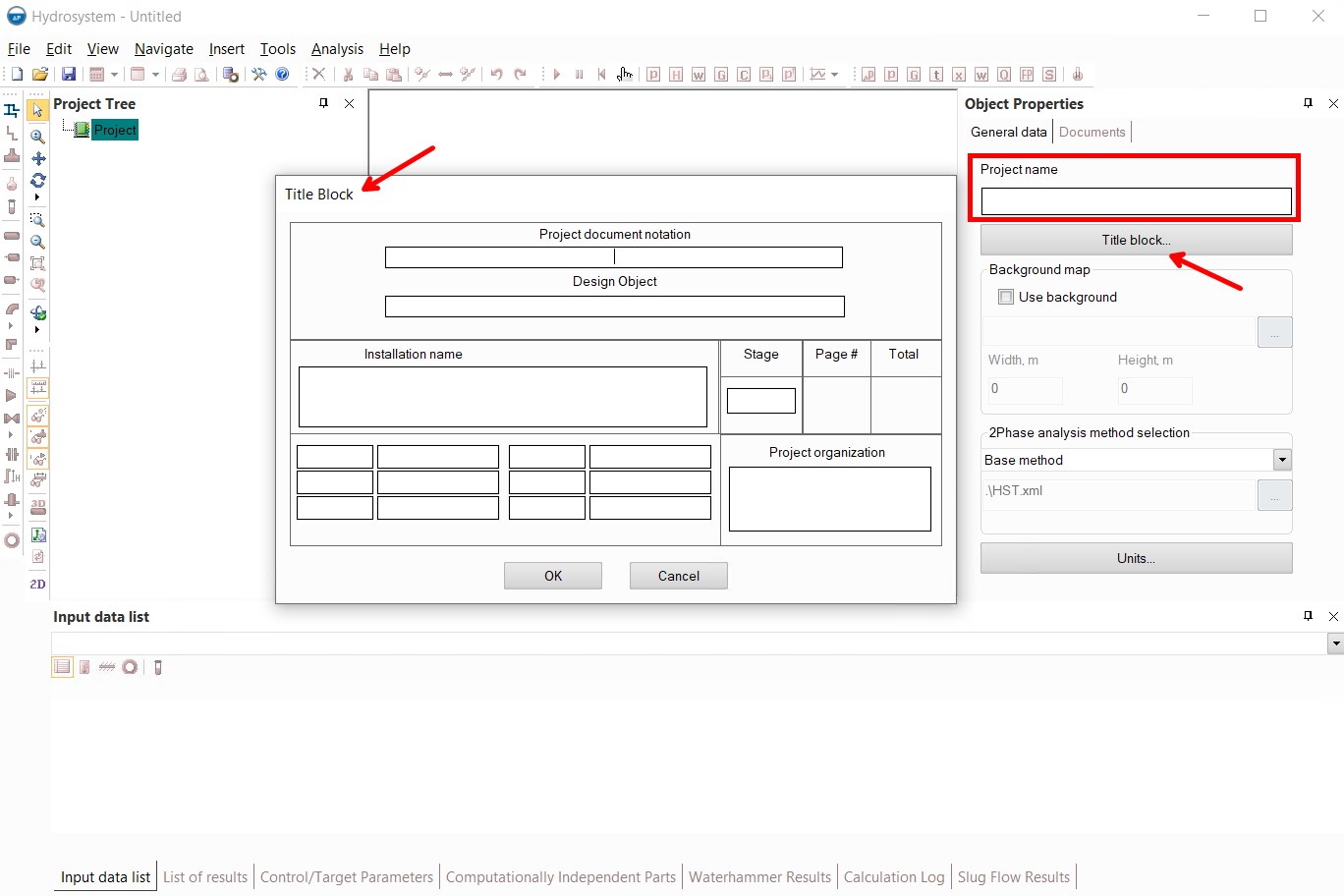
When filling in the data for the title block, please note that 6 pairs of fields with the job and surnames of employees are placed in a window in 2 columns (while in the real stamp all 6 will be located one under the other). Signatures and dates are not entered into the program, but are entered manually in the output documents.
If you do not plan to generate documents for the calculation (or plan to export the results without blocks), these fields can be left blank.
See also "Editing the output documents templates"
The Hydrosystem provides the ability to "draw" a pipeline model on a raster background. This function is discussed in detail here.
Two-phase flow analysis methods selection
Despite the fact that the hydraulic calculation methods for gas-liquid flows used in Hydrosystem by default provide good accuracy for a very wide range of cases of two-phase flows, in some cases it may be necessary to use other calculation methods that more accurately describe the behavior of some complex and non-standard cases of gas-liquid flows. This is due to the fact that the mechanics of vapor-liquid mixtures is currently still a relatively "young" and poorly studied area of science. And unfortunately, 'universal' calculation methods (that would be suitable for all types of two-phase flows at all conditions encountered without exception) have not yet been developed. Therefore, for these cases, the Hydrosystem provides the ability to configure which methods will be used to calculate two-phase gas-liquid flows:
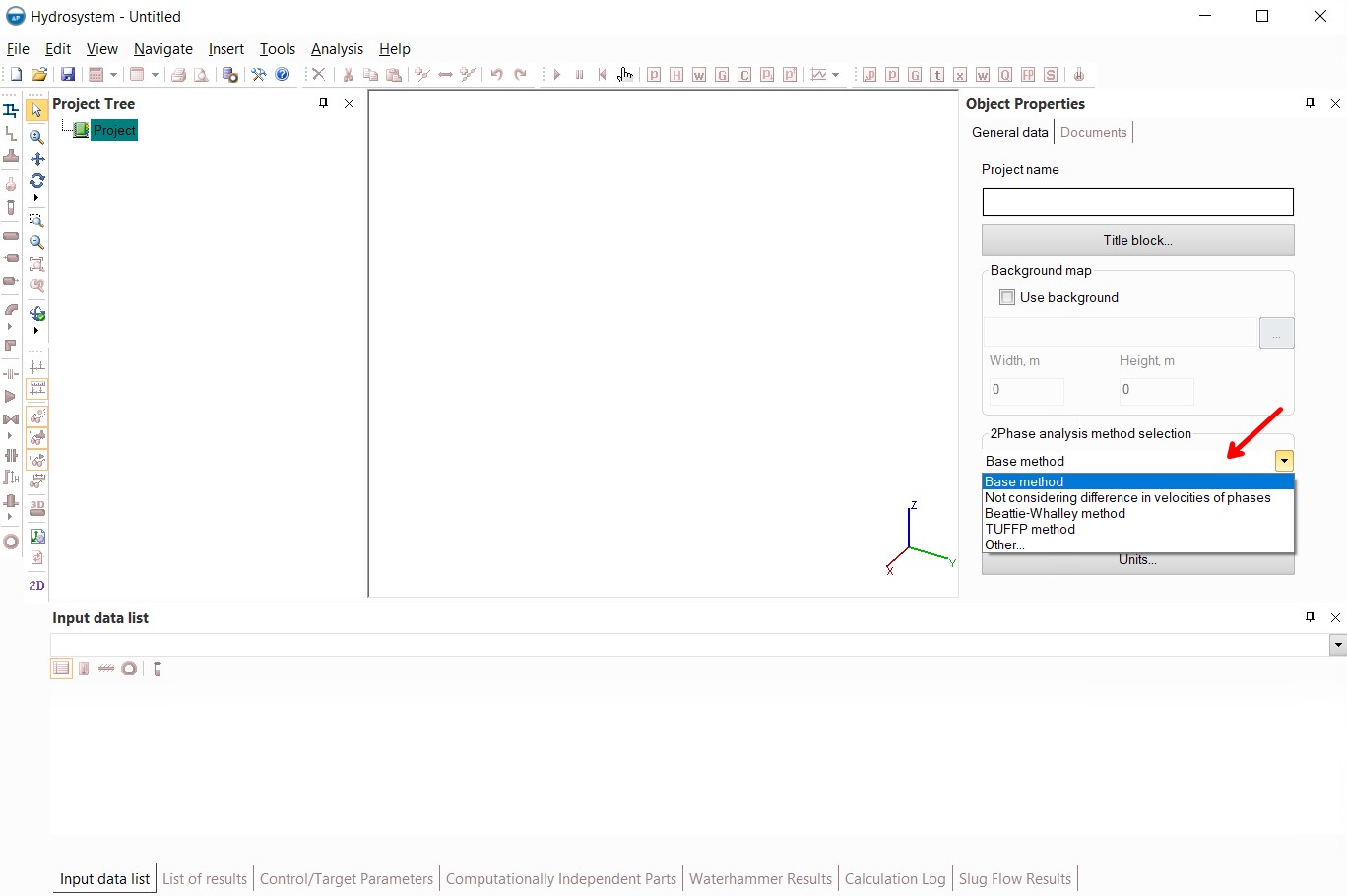
A detailed description of these methods, as well as customization of the methods for calculating two-phase flows, is given here.
Units of measurement of quantities used in calculations in the Hydrosystem can be set/changed at any stage of working with the program. When changing the unit of measurement, all already entered values for this quantity will be recalculated into new units of measurement; if calculations have been performed, their results will be recalculated into new units.

Please note that in the 'General data' tab of the Object Properties window for the project units of measurement are set only for the current project. If you want other units of measurement (other than the default units) to be used by default in all further projects, specify the desired units in a similar window called up in the menu "Tools - Default units...".
And vice versa, if you change the units of measurement in the menu "Tools - Default Units...", the current project, as well as all projects already created in the program, will not be affected by these changes - the new units of measurement (set in the menu "Tools - Default Units...") will be used by default when creating new projects.
To set some additional settings for the design of the program's output documents, you need to select the project in the project tree and go to the "Documents" tab in the Object Properties window:
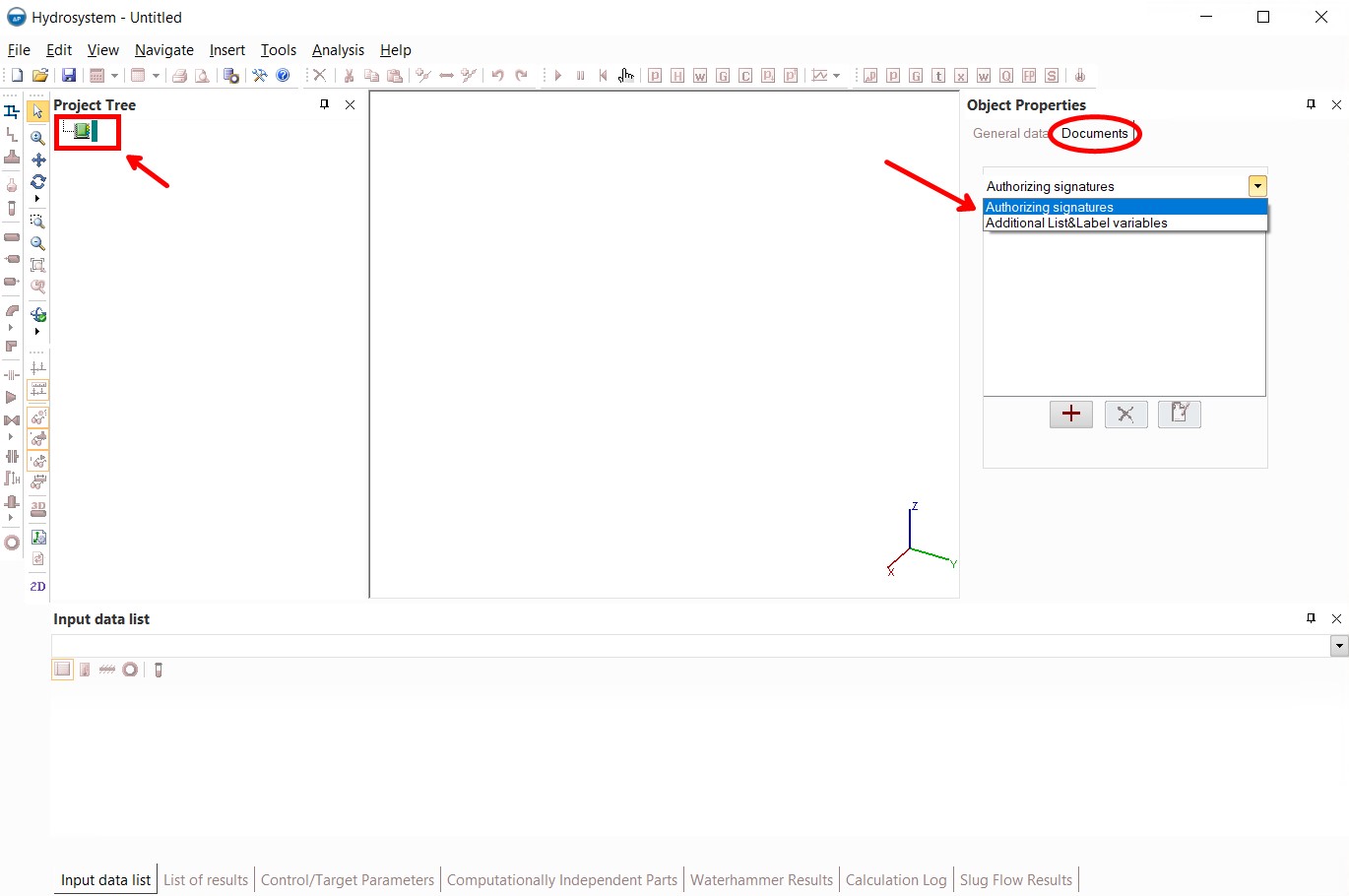
Here you can set:
authorizing signatures for the side block of the output documents;
additional List&Label variables, used for outputting any texts that are missing from the original document forms. For more information on setting up output document forms, see here .
Use
the corresponding buttons to add  ,
remove
,
remove  and edit
  signatures and variables.