
Fixed anchors require no property input. They restrain all translational and rotational degrees of freedom. Use fixed anchors to model moment-resisting supports.
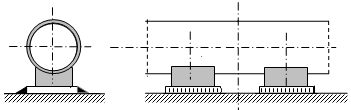
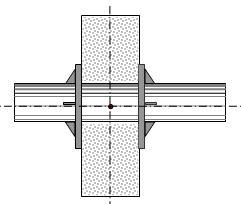
Fixed anchors function as three translational and three rotational rigid restraints. See custom restraints for detailed configuration.

Property |
Description |
Name |
Element identifier. When checked, displays in 3D view. |
Weight |
Support component weight attached to pipe. Applied to attachment node. For structural capacity checks, includes piping plus support weight. For support capacity checks, either omit support weight or increase allowable load by support weight value. |
Check allowable loads |
PASS/START-PROF automatically verifies calculated loads against allowable values. Exceedances generate system warnings. |
Loads in local axes |
When unchecked, allowable loads reference global coordinate system; when checked, reference local axes of adjacent element. |
FX, FY, FZ, MX, MY, MZ |
Allowable translational forces (X,Y,Z) and moments about X,Y,Z axes. |
To insert fixed anchor, select target node and use: Insert > Insert Restraint > Fixed Anchor
or click  toolbar icon.
To view existing element properties:
Double-click element in 3D view
Select element
and click  toolbar icon