
Learn about START-PROF pipe stress analysis software
Modeling horizontal vessels in PASS/START-PROF follows similar procedures as vertical vessels. Refer to Modeling Vertical Vessels for general guidance. This section covers horizontal vessel-specific considerations.
PASS/START-PROF provides three methods for modeling horizontal pressure vessels:
1. Apply a nozzle element at the pipe end node.
2. Model the vessel using cylindrical shell elements (points 21-22 below). Use rigid elements (points 2-18) for the distance between nozzle and vessel axis intersection. Insert the nozzle element at the pipe-to-rigid element connection (point 18). This classic method accounts for both local shell flexibility and global beam flexibility.
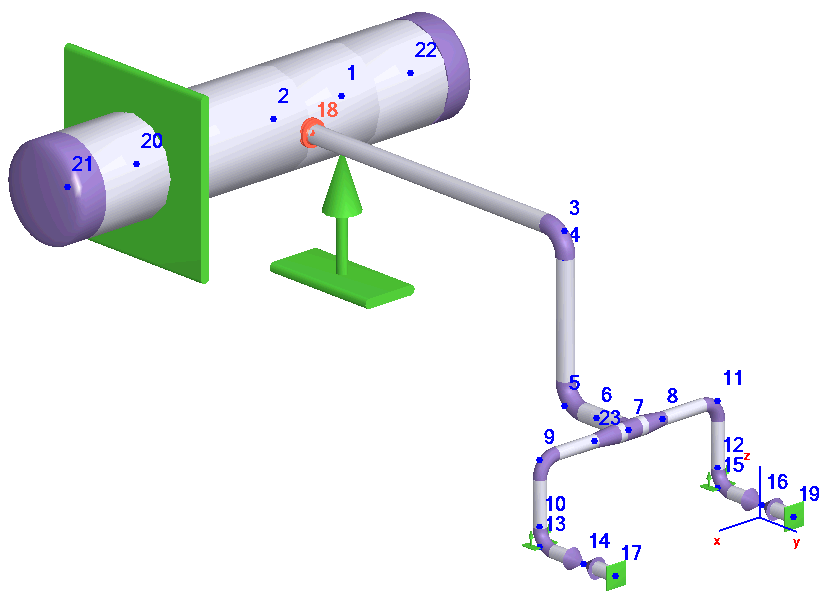
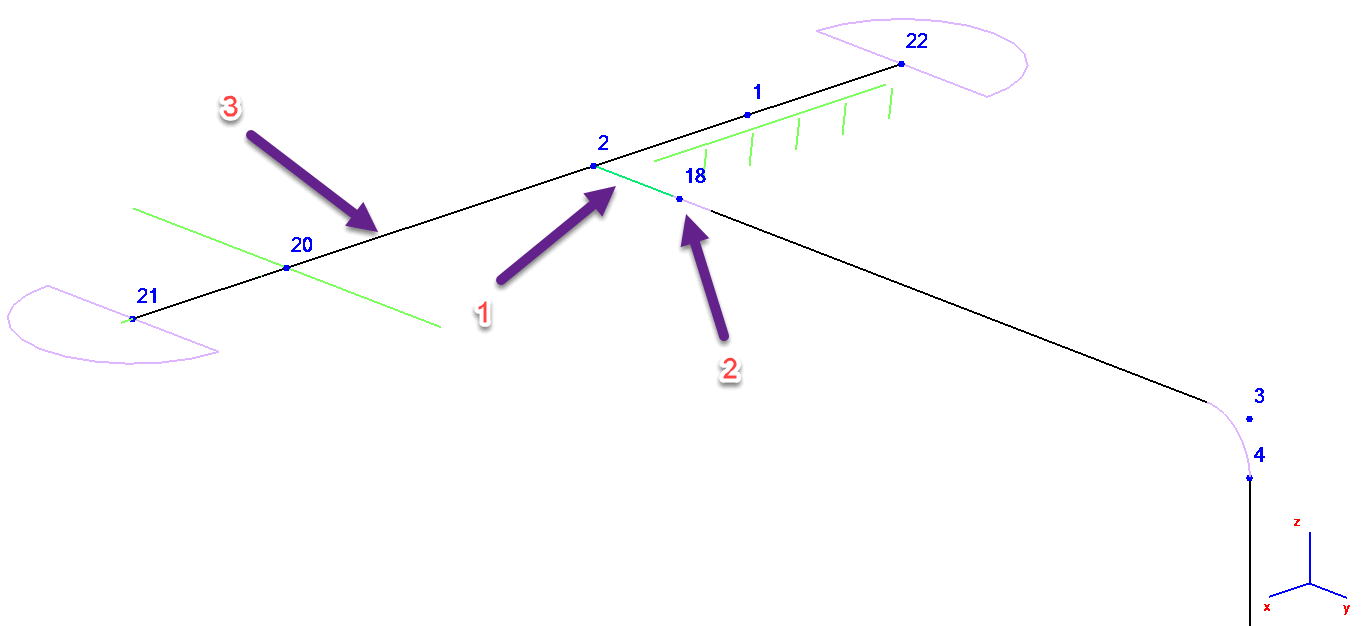
1 - Rigid Element, 2 - Nozzle Element, 3 - Cylindrical Shell Element
3. This efficient method produces identical results to Method 2. Model the vessel with cylindrical shell elements and insert the nozzle element at the pipe-to-shell intersection (node 2 below). PASS/START-PROF automatically generates hidden rigid elements between the nozzle and node 1. This approach saves modeling time while maintaining accurate local and global flexibility analysis.
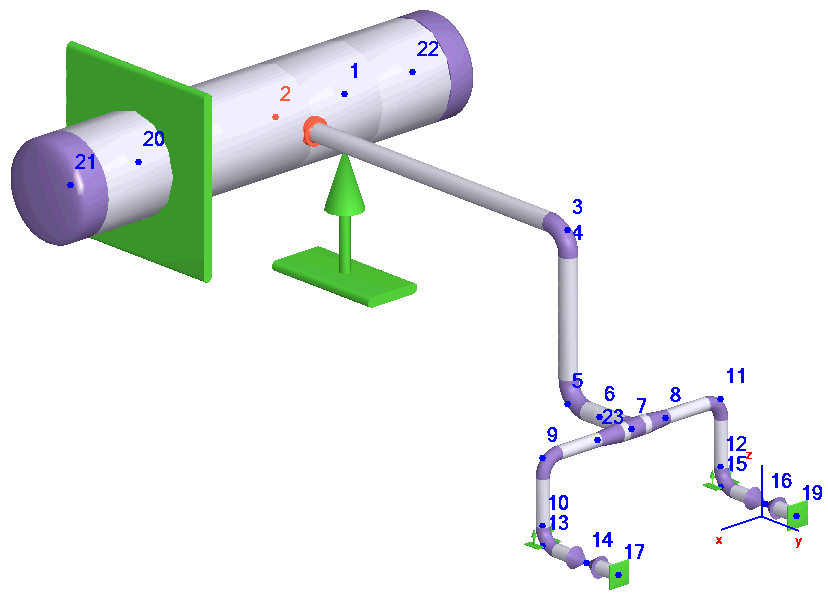
Methods 2 and 3 support complex vessel configurations with multiple nozzle connections.
For large diameter vessels, support placement requires special consideration. Standard sliding supports or fixed anchors attach to the vessel axis:

Actual supports typically position lower than the vessel centerline. This eccentricity can affect support loads and stress calculations. Model supports with rigid elements as shown below for improved accuracy:
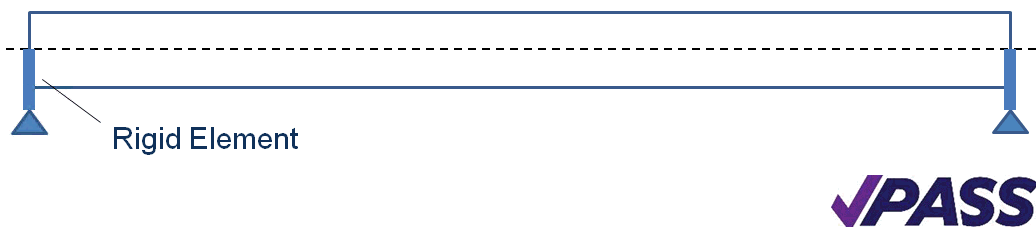
The resulting PASS/START-PROF model appears as:
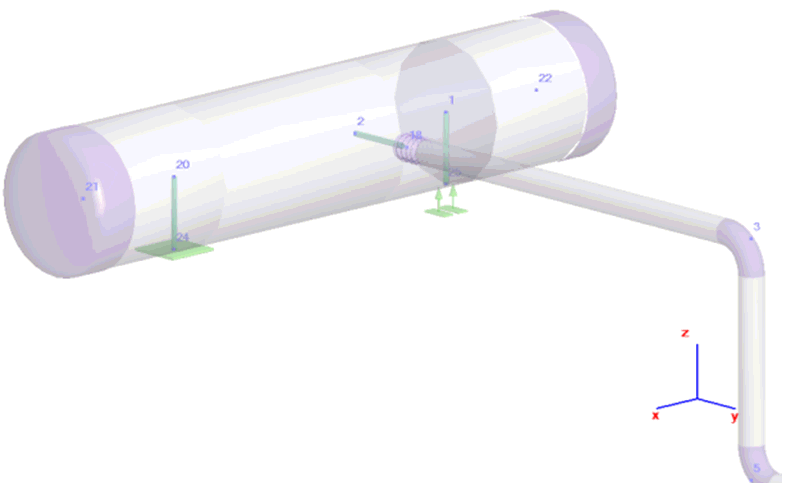
Set rigid element length equal to half the vessel diameter plus support height. This configuration models boundary conditions more accurately and accounts for vertical thermal expansion.