Computationally independent pipeline parts
If at pipeline calculation a message is displayed stating that the "Pipeline contains unconnected parts..." or "The system is divided into disconnected areas...", this means that the pipeline is modeled in such a way that it contains fragments that must be calculated independently of each other. To understand why this is happening (this is an error in pipeline model or some data required for the calculation are not specified), you can display such pipeline fragments using a special window of Computationally Independent parts. To enable this window (if it is not initially displayed), select the menu item "Tools - Topological Analysis - Computationally Independent Parts" or the corresponding menu item "View - Docking Bars".
In the Computationally Independent parts window you can display:
disconnected parts of the pipeline - parts of the pipeline system that do not have a single node in common with each other. Such areas may occur if errors were made during the modeling of the pipeline. For example, if the user accidentally deleted a branch or branches connecting different parts of the pipeline (as a result of which they became disconnected) or specified incorrect numbers of start/end nodes for some branches. Using the window of Computationally Independent parts, you can see what disconnected parts the pipeline consists of and understand where the error was made. Please note, that if all the data necessary for the calculation of such systems (with disconnected parts) is specified correctly, then no problems will occur during the calculation;
calculation-independent pipeline fragments – pipeline areas that, being "physically" connected to each other, are analyzed independently of each other at hydraulic and heat calculations (for example, pipeline fragments "separated" by control valves or closed gate valves). In this case, if all the data necessary for the calculation of such systems is specified correctly, then no problems will occur during the calculation. If some data for the calculation is missing (for example, in one of such calculation-independent fragments, the pressure is not specified in at least one point, due to which it is impossible to calculate this fragment), then using the Computationally Independent parts window, you can see which pipeline fragments are considered independently of each other from the calculation point of view, and understand what parameters are missing for their calculation.
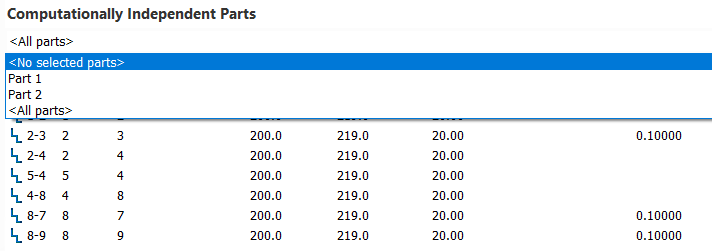
The structure of the calculation-independent fragments window is similar to the input data list window. In the drop-down list at the top of this window, you can select a particular piping part (or all parts) of the pipeline - its elements will be displayed in the window itself:
Using the corresponding filter buttons in the upper left part of the window, you can switch between displaying the branches of a selected part/parts, its nodes or piping components. Also, when selecting pipeline parts in this drop-down list, they are displayed in different colors in the graphics window:
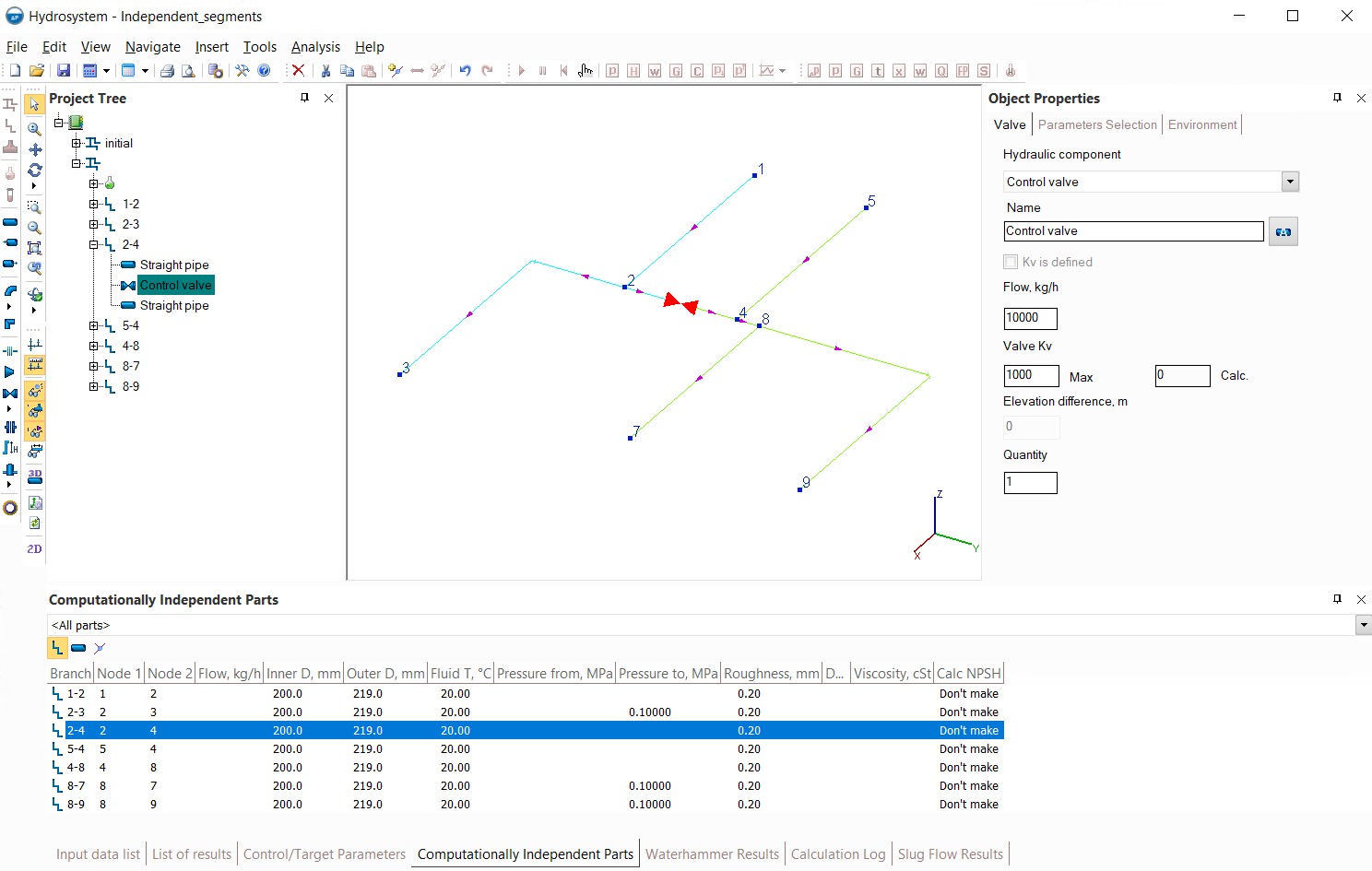
The Computationally Independent parts window is auxiliary, and it is not required for normal work with the program. This window is synchronized with the Project Tree window, the Object Properties window and other program windows - when an element is selected in any of the windows, the focus is transferred to it in other program windows.
Below, for greater clarity, are examples of calculation-independent/disconnected piping fragments of various piping models.
Computationally independent parts of pipelines with control valves
Below is an example of a pipeline for pumping fluid from two sources (nodes 1 and 5) to three consumers (nodes 3, 7 and 9). The flow rates to each of the consumers are maintained by control valves:
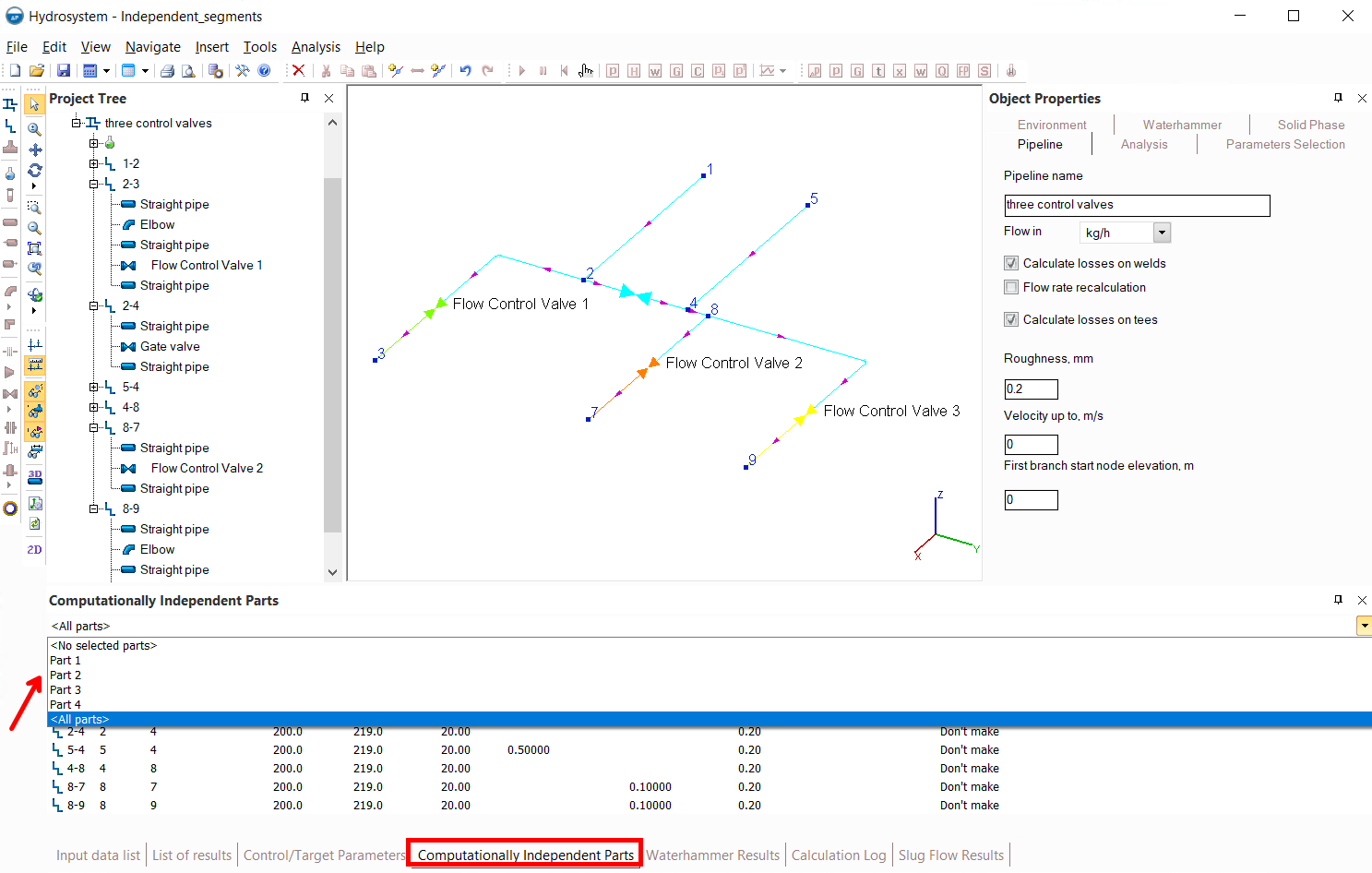
Since, if there are control valves in the pipeline, the parts of the pipeline before and after each valve are calculated separately from each other (for more information, see here), each of these parts will be shown as a separate fragment in the Computationally Independent parts window (Part 1 before control valves and Part 2, Part 3 and Part 4 after each of the valves), and such pipeline parts are displayed in different colors in the graphic window. To calculate this pipeline, the pressure must be specified in each of these parts (at least in one point), otherwise the calculation will be interrupted with the error "Pipeline contains unconnected parts with insufficient data for calculation...".
Computationally independent parts of pipelines with closed valves
Below is an example of a pipeline similar to previous one (pumping fluid from two sources nodes 1 and 5 to consumers in nodes 3, 7 and 9). But in this case, there are no control valves, but there is a closed valve in the branch between nodes 2 and 4:
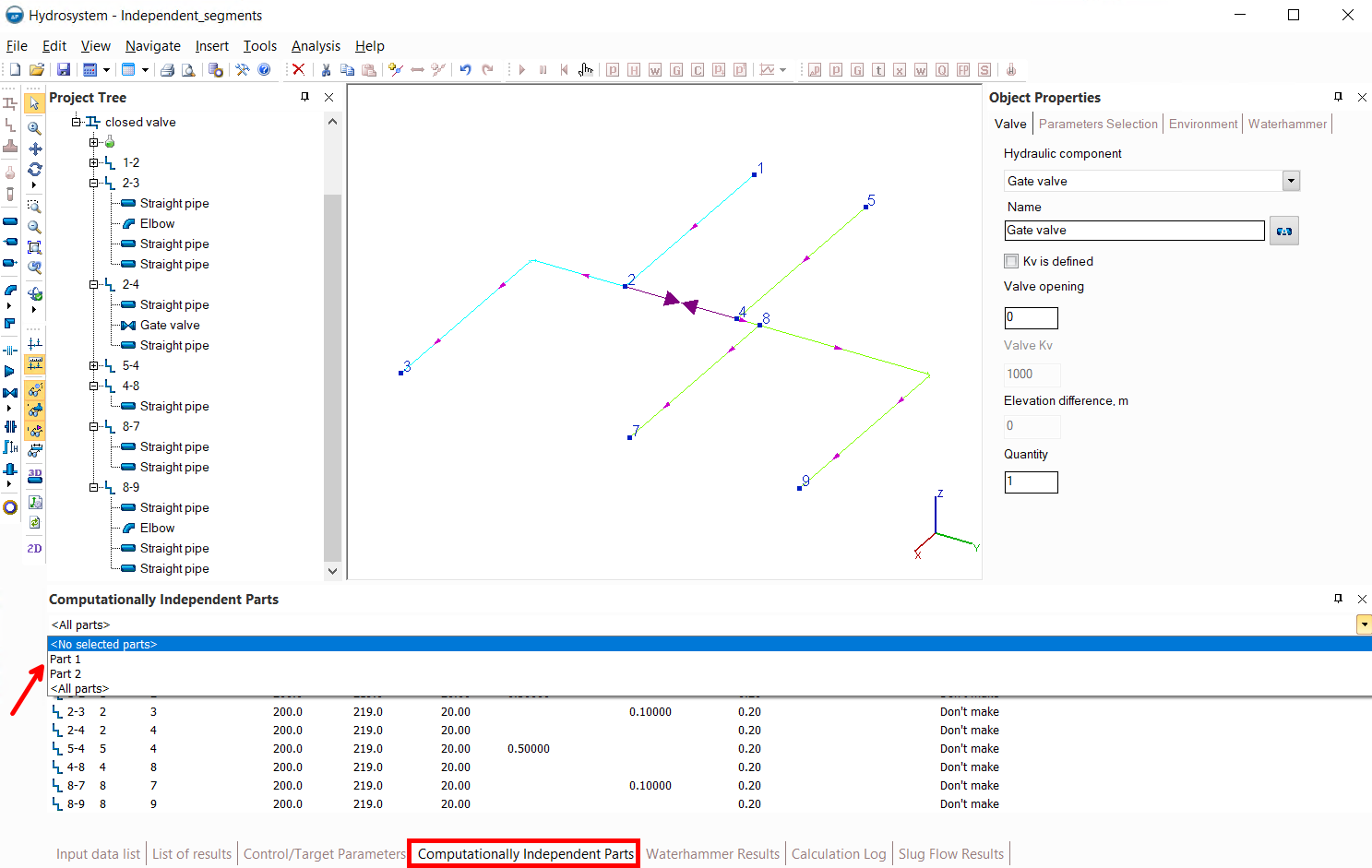
Since the pipeline parts separated by the closed valve do not communicate with each other in any way, these parts are considered independently of each other at the calculation. In the Computationally Independent parts window, these parts will be shown as Part 1 and Part 2 (and they will be displayed in different colors in the graphic window). To calculate this pipeline, the pressure must be specified in each of the two parts at least at one point, otherwise the calculation will be interrupted with the error "Pipeline contains unconnected parts with insufficient data for calculation...".
Disconnected fragments in the pipeline
Below is an example of a pipeline similar to previous two (pumping fluid from two sources nodes 1 and 5 to consumers in nodes 3, 7 and 9). But in this case, the branch connecting nodes 2 and 4 has been removed:
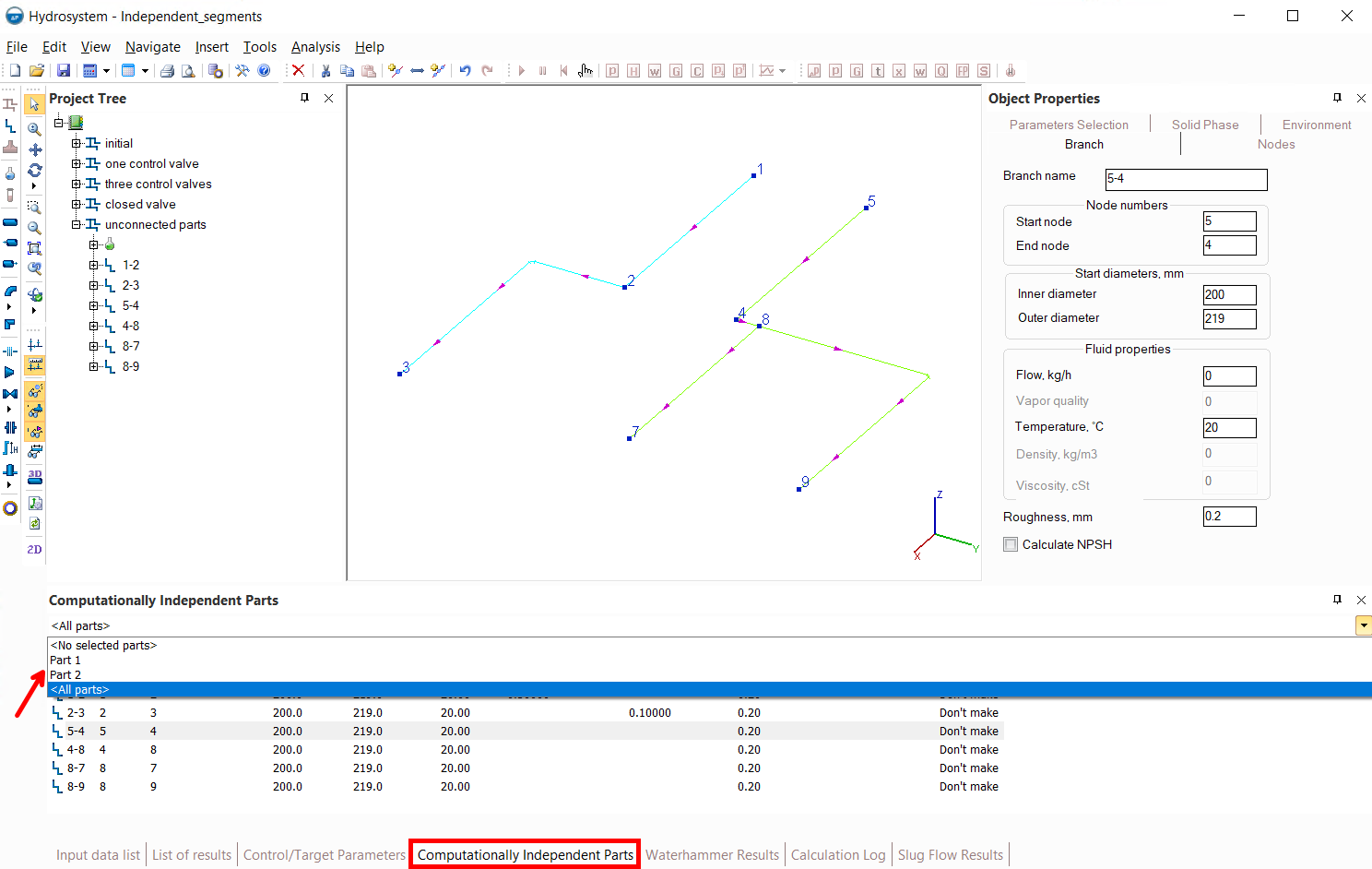
Such a piping model will consist of two separate fragments - Part 1, including nodes 1, 2 and 3, and Part 2, containing nodes 4, 5, 7, 8 and 9. But unlike the previous example, there is no "physical" connection between these two parts. That is, these are not just two computationally independent fragments of one integral pipeline, but two parts of the pipeline that are not connected to each other.
Please note how these fragments may be displayed in the graphics window incorrectly relative to each other, since the program "does not know" how they are located relative to each other, so it displays them in some arbitrary way. To calculate this pipeline, the pressure must be specified in each of the two parts at least at one point, otherwise the calculation will be interrupted with the error "Pipeline contains unconnected parts with insufficient data for calculation...".
Pipelines without computationally independent and disconnected fragments
Below is an example of a pipeline similar to previous ones (pumping fluid from two sources nodes 1 and 5 to consumers in nodes 3, 7 and 9), but this time there are no closed valves, nor control valves, nor deleted branches:
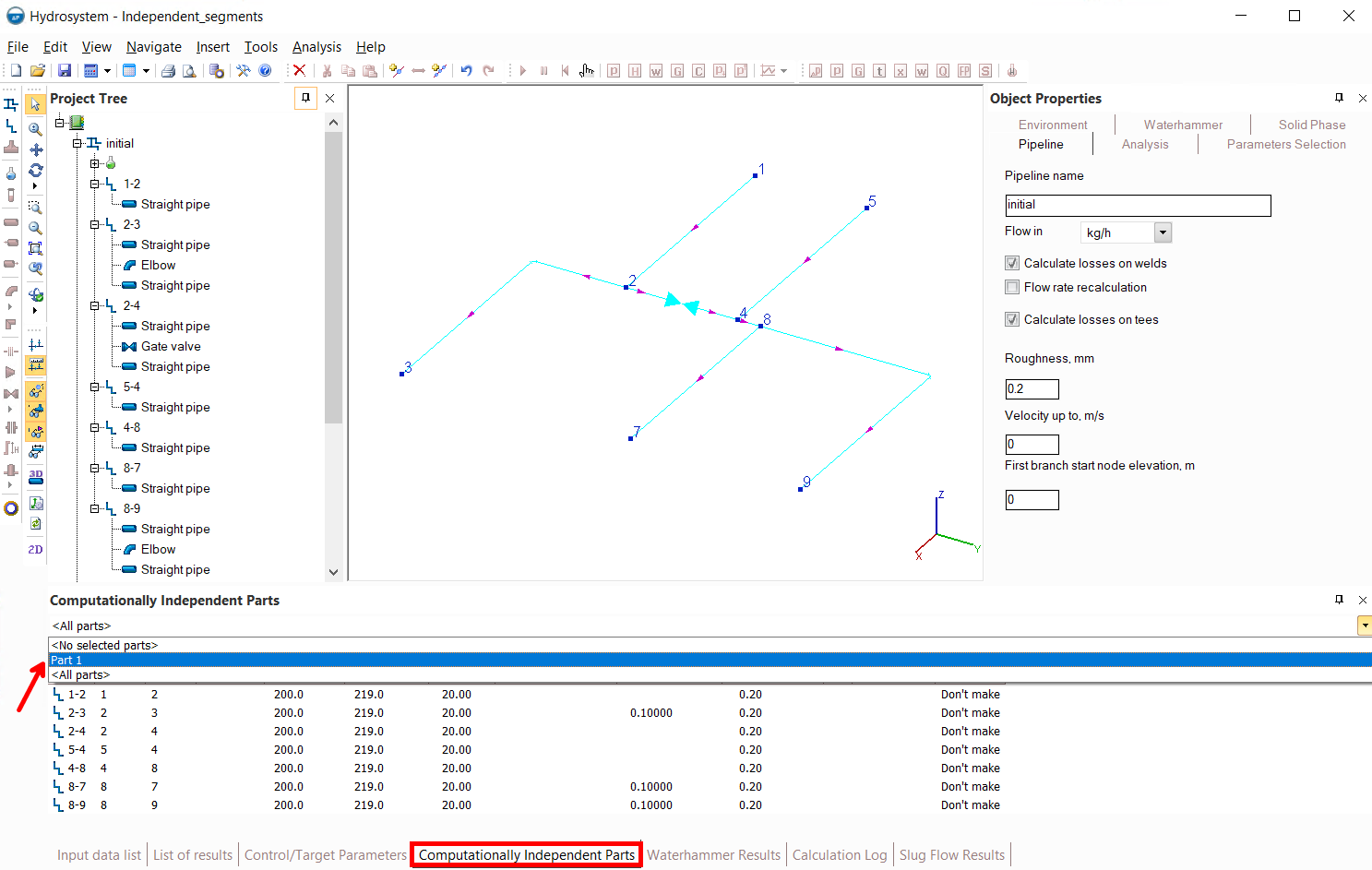
In such a pipeline, all branches communicate with each other, therefore, in the calculation, such a pipeline is considered as one single fragment, which is displayed in the Computationally Independent parts window for this pipeline.