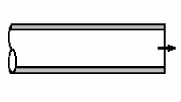
Pipe exit
To add
a pipe exit, click the button  of Components toolbar
or use the corresponding item of "Insert
- Component" menu. Please note that the new component
is added to the project tree after the currently selected element. Therefore,
to add a new component after an existing one, select it in the project
tree or in the graphic window and add the new component. If you need to
add a new component to the beginning of a branch, select the branch in
the project tree and add the new component.
of Components toolbar
or use the corresponding item of "Insert
- Component" menu. Please note that the new component
is added to the project tree after the currently selected element. Therefore,
to add a new component after an existing one, select it in the project
tree or in the graphic window and add the new component. If you need to
add a new component to the beginning of a branch, select the branch in
the project tree and add the new component.
The pipe exit element is used to model an abrupt deceleration of the flow when it enters from a region with a relatively small cross-section (from a pipe) into a region with an infinitely large cross-section (for example, the outflow of the fluid into the atmosphere or to an equipment, tank or similar object of "large" dimensions compared to the pipe). In essence, it represents a limiting case of a sudden expansion of the flow (when the expansion occurs from a finitely small value to an infinitely large one).
After adding a pipe exit , its characteristics will be displayed in the Object Properties Window:
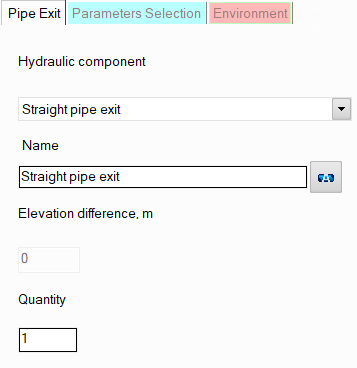
resistance type - the pipe exit can only be of one type, so there is no need to specify it;
name - by default, when entering a new piping component, its name matches the type, but if necessary, it can be changed in this field. Specify the name that you would like to see for this component in reports with calculation results. To display the component name on the piping diagram, click the corresponding button to the right of its name;
quantity - this parameter is usually not used for the pipe exit. It is used for other pipeline elements (for example, for fittings or bends) when modeling several identical elements. In this case, you can enter the quantity of these elements in this field and the hydraulic resistance and heat losses of this element will be multiplied by the specified value. Since there are unlikely to be several pipe exits in one pipeline branch, this option is of no practical interest for it.
Please note that from a hydraulic point of view, the pipe exit is considered as a "point" (or "concentrated") resistance, having no length.