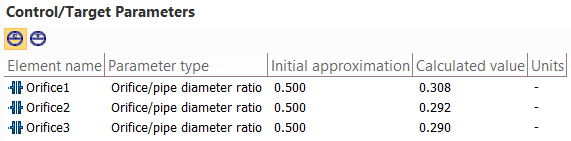
Control/target parameters window
This window displays the control and target parameters of the pipeline specified for the calculation with parameters selection.
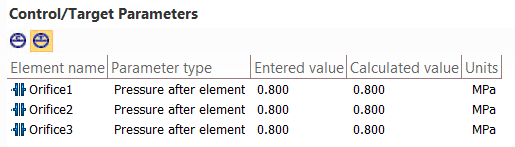
For control parameters, their initial approximations are shown here, and after calculation is completed, the selected calculated values are also displayed. And for target parameters, the required and calculated values are shown. To switch between displaying target and control parameters, use the toggle switch in the upper left part of this window. More details on parameter selection are given here.
This window is synchronized with the Project Tree window, the Object Properties window and other program windows - when you select an element in any of the windows, the focus moves to it in other program windows.