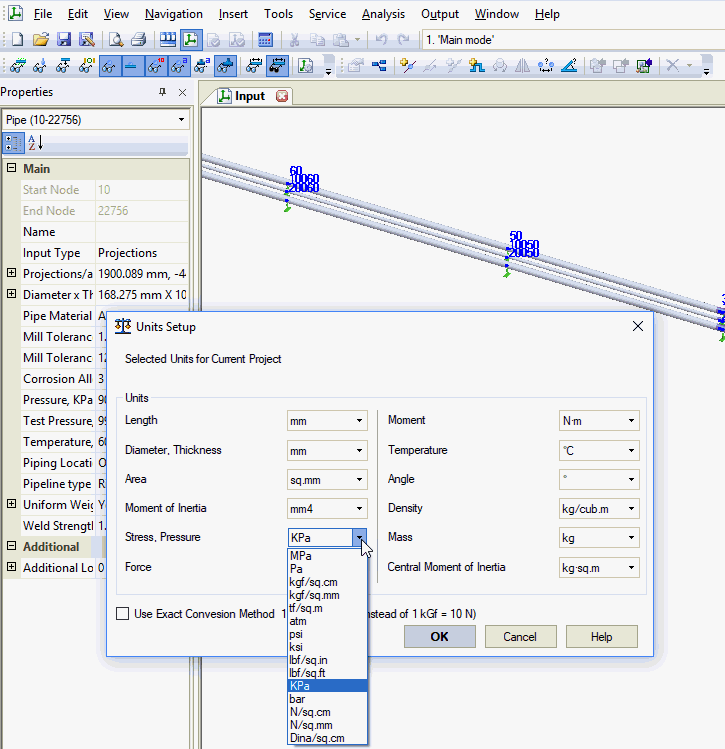
Configure measurement units for all input and output data used throughout PASS/START-PROF. By default, the software uses 1 kgf = 10 N during modeling.
Units can be modified at any time—before or after analysis.
Property |
Description |
Length |
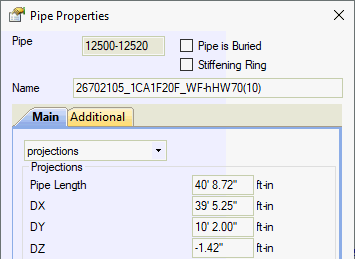
Units for linear dimensions (element length, coordinates, etc.). When "ft-in" is selected, lengths display as:
|
Diameter, thickness |
Units for small linear dimensions (wall thickness, pipe diameter, etc.) |
Area |
Units for cross-sectional area |
Moment of inertia |
Units for cross-sectional moment of inertia |
Stress, pressure |
Units for stress and pressure |
Force |
Units for forces |
Moment |
Units for moments |
Temperature |
Units for temperature (installation, operating, etc.) |
Angle |
Units for angles |
Density |
Units for density (fluid, pipe material, etc.) |
Mass |
Units for pipe element mass |
Mass moment of inertia |
Units for mass moments of inertia (pipes, supports) |
Use g=9.807 m/s² instead of g=10 m/s² |
g=10 m/s² (default): 1 kgf = 10 N, 1 lbf = lb×10 m/s² = 4.5359 N, 1 kgf/cm² = 0.1 MPa g=9.807 m/s²: 1 kgf = 9.807 N, 1 lbf = lb×9.807 m/s² = 4.4482 N, 1 kgf/cm² = 0.9807 MPa |
Uniform load units are derived as Force/Length
File > Units Setup