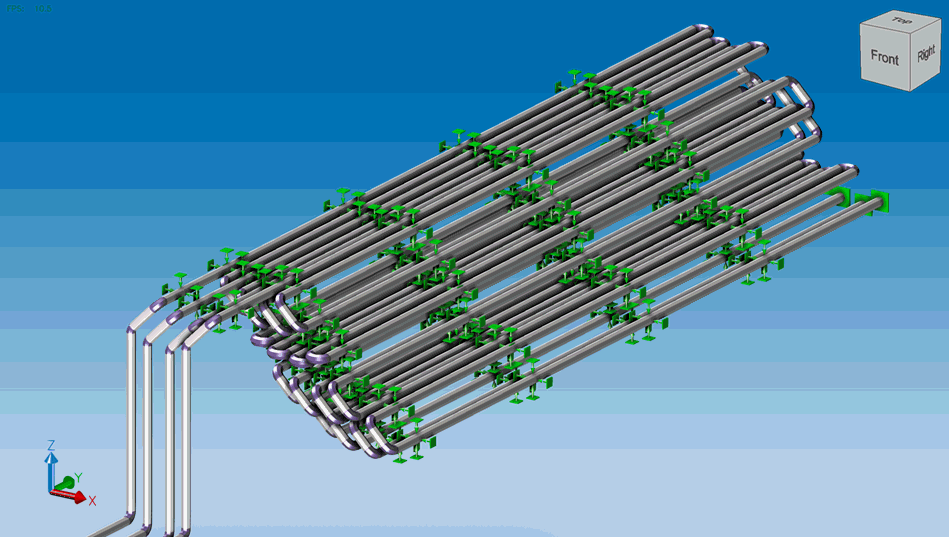
Export PASS/START-PROF piping models to Industry Foundation Classes (IFC) format for interoperability with BIM applications. IFC files can be opened in applications such as:
Objects are exporting to IFC in the corresponding IFC BuildingSmart (IFC4) format. For segments IfcPipeSegment in using, for fittings IfcPipeFitting. For equipment the specific corresponding equipment class is used.
All IFC objects contain parameters specific to the class, that describes the object, as well as additional parameters of the START object contained in «Pset_Start» parameter set. The object’s IFC name is also generated automatically unless otherwise is specified in the START object.
The following piping components are exported to IFC format:
To export a file to IFC format, select File > Export > To File IFC (.ifc)
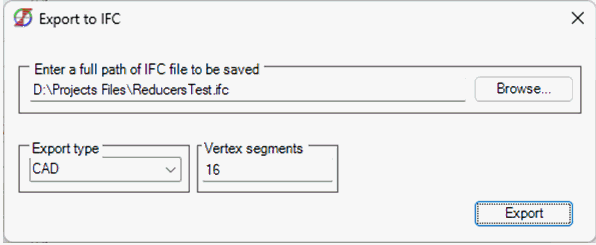
In this window, you can select a path to save the .ifc file by clicking the Browse button or typing the path yourself. When the «Export to IFC» window opens, the path is automatically entered into the current project directory. You also need to select the "Export Type":
"Vertex Segments" – represents the division of a shape into a specified number of points (for example, a circle will be constructed from 16 points). This parameter should always be specified, as some objects may have more complex geometry that cannot be achieved using the CAD export type.
After selecting all the necessary parameters, click the «Export» button. After clicking «Export» the window will close, and the «.ifc» file will appear in the selected directory.
File > Export > To File IFC (.ifc)